Optimising DAX: The Formula Engine and Storage Engine


We've now covered the model optimisation half of the Optimising DAX series - storage, encoding, cardinality, relationships, and model design. Now we're shifting to the query layer: what actually happens when you execute a DAX query?
Two Engines, One Query
There are two engines involved in processing DAX queries:
The Formula Engine knows about all DAX functions and handles complex calculations. It's powerful, but slow - and critically, it's single-threaded.
The Storage Engine (VertiPaq) can only do very simple operations, but it's very fast and multi-threaded.
How They Work Together
When you write a DAX query, the following happens:
- The query is parsed into an expression tree, then a logical plan.
- The formula engine optimises this plan and decides what it needs from the storage engine.
- The storage engine executes simple queries and puts the results into a data cache.
- The formula engine processes the data cache to produce the final result.

The important detail: the formula engine can't access the raw data directly. It can only work with what the storage engine puts in the cache. Overall, the storage engine retrieves data, the formula engine computes data.

The Optimisation Principle
The key takeaway follows naturally from this architecture: push as much work as possible into the storage engine.
It's faster, and it's multi-threaded - where the formula engine is single-threaded. If the storage engine can filter, group, and aggregate your data before building the cache, the formula engine only needs to do a small amount of final processing. If the formula engine has to process millions of rows itself, things get slow.
What the Storage Engine Can Do
It's useful to keep a mental checklist:
The storage engine can:
- Scan columns
- Evaluate simple conditions (equality, inequality, IN)
- Perform
GROUP BY - Do joins across relationships
- Handle basic aggregations (
SUM,COUNT,DISTINCTCOUNT, and by extensionAVG,MIN,MAX) - Follow relationships between tables
An example: Bitmap Filter Combination
Simple columnar filtering is a good example of the storage engine's efficiency. Each filter condition is transformed into a bitmap - a compact representation of which rows match. When multiple filters are applied, the bitmaps are combined with a logical AND:
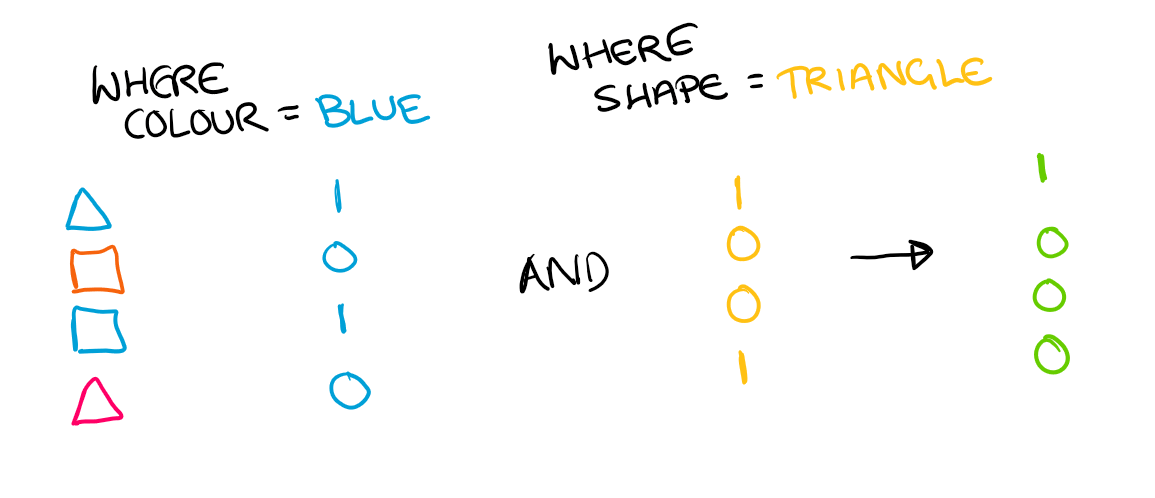
And then this combined bitmap is applied to the original column:
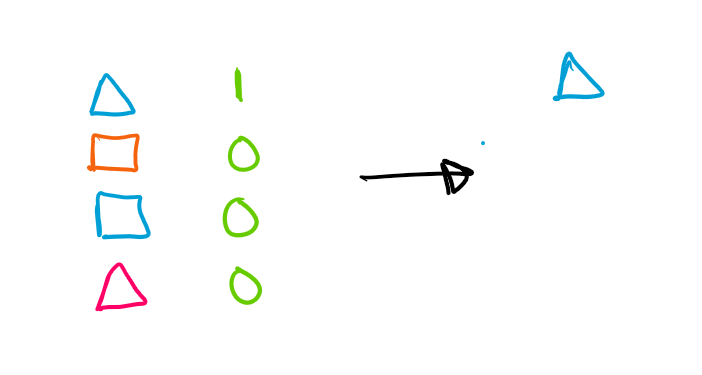
All of this happens within the storage engine, without the formula engine needing to do anything.
It's worth keeping the storage engine's operation list in mind when writing DAX. If you can decompose a complex expression into operations the storage engine understands, it can often handle the work itself. If any part of the expression falls outside this list, the formula engine gets involved - and things get slower.

Anything beyond this gets handed to the formula engine.
Callbacks
Sometimes you do need functions the storage engine doesn't understand. Consider:
SUMX(Sales, TRUNC(Quantity * NetPay))
The storage engine doesn't know what TRUNC is. So it would have to materialise the whole columns and pass them back to the formula engine. But instead, it uses a callback - calling the formula engine for each row to evaluate the unknown function, while still handling the iteration itself.
This is slow (it calls back for every single row), but it's better than full materialisation. It's worth avoiding callbacks where you can restructure the expression (e.g. decompose it into simple mathematical operations), but sometimes it's simply necessary.
Testing Tip
It's worth noting that model performance and query performance have different testing requirements. For model performance (everything we covered in the first half of the series), you need to work with real data - the data distribution is crucial to how well VertiPaq compresses and stores it. For query performance, if something is faster on a subset of data, it will be faster on the full dataset too. So it's better to test DAX queries locally on a subset, where performance is more predictable - no contention from other workloads.
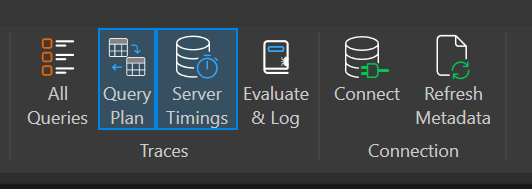
Enable both Server Timings and Query Plan in DAX Studio to see what's happening. You'll typically see the flow: Formula Engine (reasoning), then Storage Engine (retrieval), then back to the Formula Engine (calculating).
What's Next
So the goal is to keep work in the storage engine. But what happens when you can't? That's where data materialisation comes in - and it's one of the biggest causes of slow queries. Look out for the next post where we'll dig into what it is and why it matters.