Ingesting SharePoint Data into Microsoft Fabric: Your Options


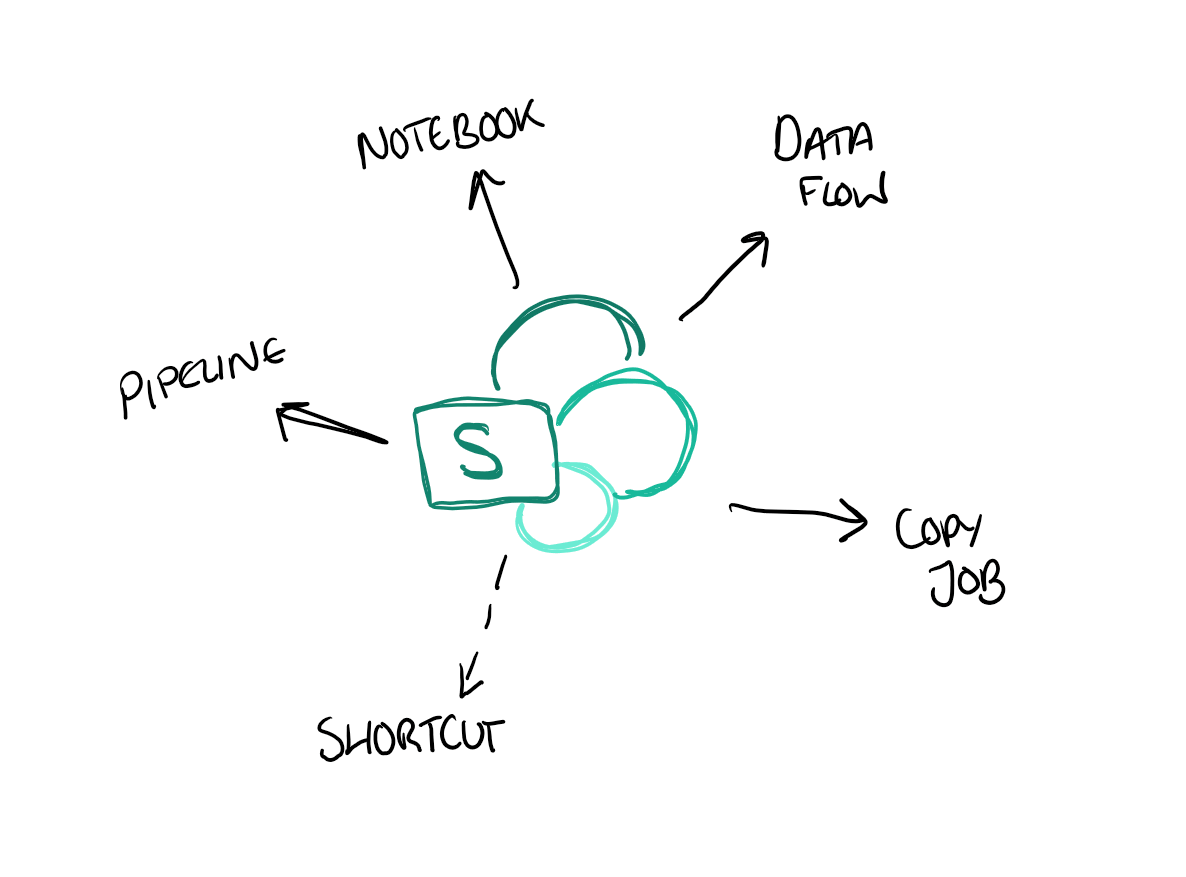
There are five ways to ingest SharePoint data into Microsoft Fabric: Dataflow Gen2, Copy Jobs, shortcuts, pipelines, and notebooks. Each makes different trade-offs around capacity cost, incremental loading, and how well they cope with multi-environment setups - and the right choice depends entirely on what you're trying to do.
This post walks through all five, with practical guidance on when to reach for each one. It's based on a great session by Laura Graham-Brown at SQLBits 2026 - and let's be honest, SharePoint isn't going anywhere in most organisations, so knowing how to get that data into Fabric efficiently is worth doing well.
The Options
Pretty much all of the ingestion options below can work with either a SharePoint list or a folder (which sometimes actually means an entire document library). Let's walk through each one.
1. Dataflow Gen2
Dataflow Gen2 provides a visual, low-code way to ingest and transform data from SharePoint. The demo in the session worked smoothly, and it's a familiar experience if you've used Power Query before.
One important thing to be aware of: Dataflows eat capacity. They're convenient, but if you're running a lot of them, the capacity consumption can add up. Keep this in mind if you're cost-conscious!
An interesting aside: you can actually use Dataflows to ingest from SharePoint on-premises (which is, apparently, still very much a thing in some organisations). This might be the easiest path if you're dealing with legacy on-prem SharePoint installations.
2. Copy Jobs
Copy Jobs are a relatively simple way to move data from SharePoint into Fabric. When you select a list copy, you can set up incremental ingestion - this uses the modified column to only update records that have changed, performing a merge on ID, as described in the Microsoft Fabric Copy Job documentation.
One thing to watch out for: the default schedule for Copy Jobs is every 15 minutes. Depending on your use case, this might be more frequent (and more expensive) than you need. Make sure to review and adjust the schedule to match your actual requirements.
3. Shortcuts
You can create a shortcut directly to a SharePoint folder or document library. This makes the data available in your Lakehouse without physically copying it - the data stays in SharePoint and is referenced in place.
However, there's a significant limitation right now: SharePoint shortcuts can't use variable libraries. This means that if you're working across multiple environments (Dev, Test, Prod), you can't use variable libraries to point the shortcut to different SharePoint locations per environment. The current SharePoint shortcut capabilities and constraints are covered in the Microsoft Fabric OneLake shortcuts documentation.
4. Pipelines
Using pipelines, you can set up a copy activity to ingest SharePoint data. A neat trick highlighted in the session: if you reference a SharePoint list as a folder, it actually lists the files in that folder including the last modified date. This means you can build logic to re-ingest only files that have changed - essentially implementing your own incremental pattern.

5. Notebooks
Notebooks offer the most flexibility, with two main approaches:
Using the Microsoft Graph API - this is a code-first approach where you call the Microsoft Graph API to access SharePoint data programmatically. If you've done something similar in Azure Synapse before, the pattern will be familiar.
Using shortcuts via the Lakehouse - you can add a shortcut to a SharePoint folder or document library, and then read the data directly from the Lakehouse within your notebook. This combines the simplicity of shortcuts with the processing power of Spark.
The notebook approach is the most flexible, but also requires the most technical skill. It's a good fit when you need to do something more complex that the other options don't easily support.
When to Use What?
Here's a rough guide to choosing between the options:
- If you want a quick, visual setup and don't mind the capacity cost - Dataflow Gen2
- If you want simple, scheduled ingestion with incremental support - Copy Jobs (but review that default 15-minute schedule!)
- If you want zero-copy access and aren't working across multiple environments - Shortcuts
- If you already use pipelines - Pipelines with copy activities
- If you need maximum flexibility or are doing complex transformations - Notebooks
Summary
There are more options than you might expect for getting SharePoint data into Fabric, and each has its place. The right choice depends on your specific requirements around cost, complexity, change detection, and multi-environment support.
The biggest gap right now is the lack of variable library support for SharePoint shortcuts, which limits their usefulness in multi-environment setups. But given the pace of Fabric development, I'd expect this to be addressed soon.
As always, the practical reality of working with SharePoint is a bit messy - but at least we now have a decent range of tools to tame the mess!