Skip to content
Pascal Arnould By Pascal Arnould Software Engineer III

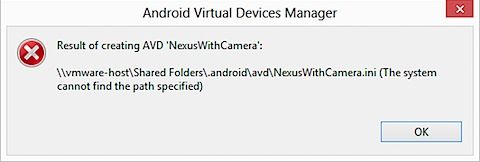
After going through the Xamarin installation instructions for Mac and Windows, I ended up in a situation where the AVD Manager (Android Virtual Device Manager) on my Windows VM would not let me create a new AVD. It would throw the following error: "The system cannot find the path specified"

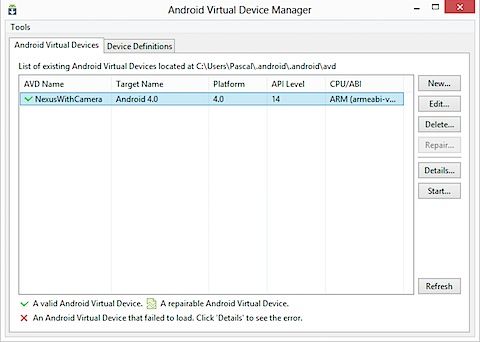
AVD Manager

Create new AVD
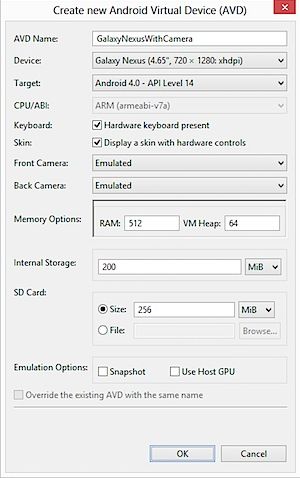
201305270123.jpg

Error

201305271042.jpg

The problem is that the location it is trying to save the AVD doesn't exist, probably a result of running Windows as a guest OS under VMware Fusion. A quick check of the AVD Manager settings under Tools > Options, confirms that the Manifest Cache Directory points to wrong location.

To correct this, you need to modify the location of the Android SDK:

  1. Run the systemadvancedproperties Windows command to open up the System Properties on the Advanced tab.
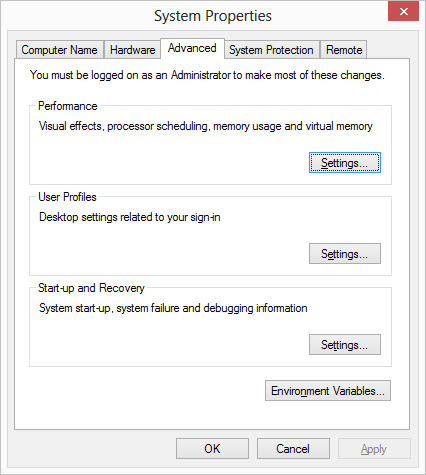
201305270124.jpg

  1. Click on Environment Variables.

  2. Add a new user variable:

Variable name: ANDROID_SDK_HOME

Variable value: C:\Users\\.android (or wherever the SDK is installed - %homepath% by default)
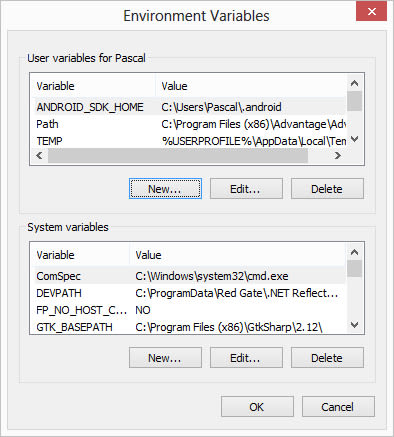
201305270124.jpg

4. OK and restart your Windows VM.

5. Check that the Manifest Cache Directory is now set correctly.
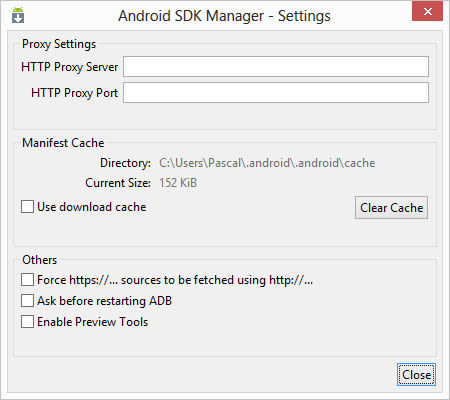
201305270124.jpg

6. Test and create a new AVD.

201305270123.jpg

FAQs

Why does the AVD Manager throw 'The system cannot find the path specified' when creating a new Android Virtual Device? This error typically occurs when running Windows as a guest OS under VMware Fusion. The AVD Manager's Manifest Cache Directory points to a location that doesn't exist or cannot be accessed. Check Tools > Options in AVD Manager to verify the path, and you'll likely find it references an invalid location.
How do I fix the Android SDK location issue in a VMware environment? Create an ANDROID_SDK_HOME user environment variable pointing to the correct SDK location (e.g., C:\Users\\.android). Use the systemadvancedproperties command to access Environment Variables, add the new variable, then restart your Windows VM. The AVD Manager will then use this path for its Manifest Cache Directory.

Pascal Arnould

Software Engineer III

Pascal Arnould

He has over 20 years experience of implementing complex technology solutions across a number of sectors, and is a passionate advocate of Agile practices, continuous learning and engineering excellence.

Pascal worked at endjin from 2013 - 2015.