More Xamarin platform setup gotchas

To quote Jack Burton in Big Trouble in Little China:
I'm a reasonable guy. But, I've just experienced some very unreasonable things.
Today my Xamarin trial expired - Sadface. But @endjin generously supplied me with a new Xamarin.Android and Xamarin.iOS Business edition license, things were looking up - Happyface. However after activating the new license and upgrading to a newer version of Xamarin Studio on both my Mac and the guest Windows 8 OS, my master solution containing all the projects for the different platforms (Android, iOS and Windows Phone) was no longer building. I'm not sure whether this really happened as a result of the license activation and/or the upgrade but I was once more in trouble with my Xamarin platform setup - Sadface!
Problem #1: Android project build failure
Building the project in Xamarin Studio on Windows threw this error: The "Aapt" task failed unexpectedly*.* No idea what this means but luckily the Xamarin forum had the answer. The problem is caused by an incomplete Android SDK install and more specifically missing Build-tools. To fix this, open the Android SDK Manager which can be found in %APPDATA%\Local\Android\android-sdk\SDK Manager.exe. or go to All Programs > Android SDK Tools > SDK Manager. Select the Android SDK Build-tools and install the missing package.

After the installation completes, restart Xamarin/Visual Studio. Your Android project should now build successfully and you can move on to the next problem!

Problem #2: iOS emulator failure
After troubleshooting problem #1, I wanted to check whether the iOS app was still running on the emulator as it did before. However Xamarin on Windows could no longer communicate with the Mac build host. The iOS settings in Visual Studio under Tools > Options > Xamarin > iOS Settings appeared to be correct. The <HOSTNAME> was the same as it's always been.
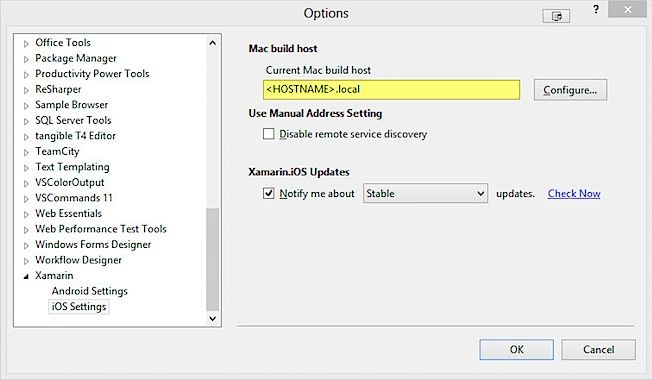
But when I clicked on Configure to open up the Xamarin.iOS build host dialog, I noticed two entries, one of which was unfamiliar. A quick check revealed that the local hostname on my Mac had changed (to find out your current hostname, you can start a new Terminal session and type in echo $HOST). So to fix my problem, all I had to do was to change the hostname back to what it was before. Under System Preferences, go to Sharing and click on the Edit button.
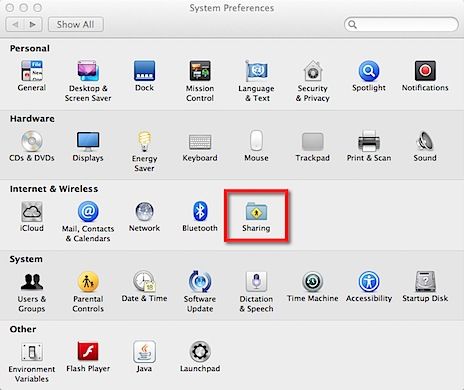
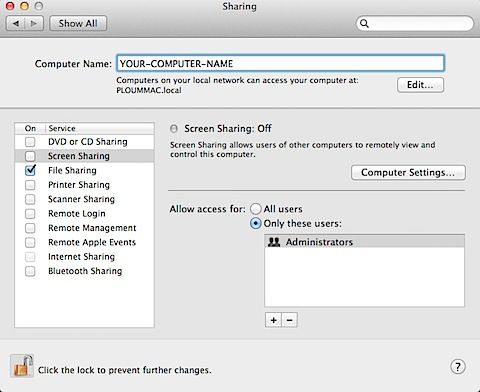
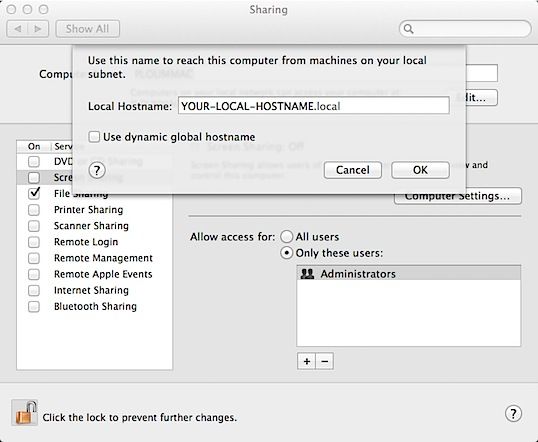
In the dialog, modify the Local Hostname to match the expected <HOSTNAME> in the Visual Studio Xamarin iOS Settings.
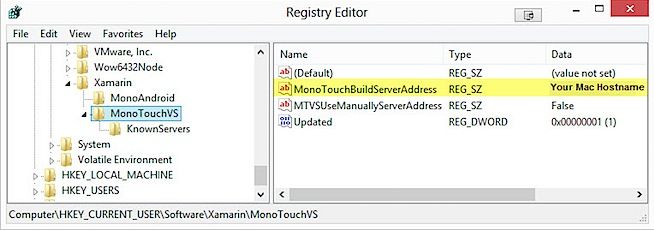
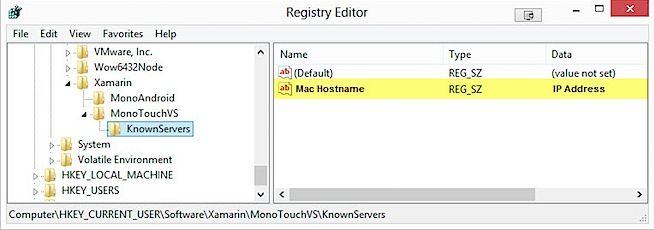
As a side note, I also find out that the build server address, the Mac hostname and its IP address are stored in the Registry as shown below:
Problem solved and Happyface again!

