How to access choice labels: Azure Synapse Link for Dataverse with SQL


When you export a table from Dataverse into Synapse using the Azure Synapse Link for Dataverse, the choice columns in your linked tables will display the numerical choice value. This isn't very meaningful to the end-user, what we really want to display in our choice columns is the associated text choice label. This blog post explains how to access the choice labels from Azure Synapse Link for Dataverse using T-SQL through SQL Serverless and by using Spark SQL in a Synapse Notebook.
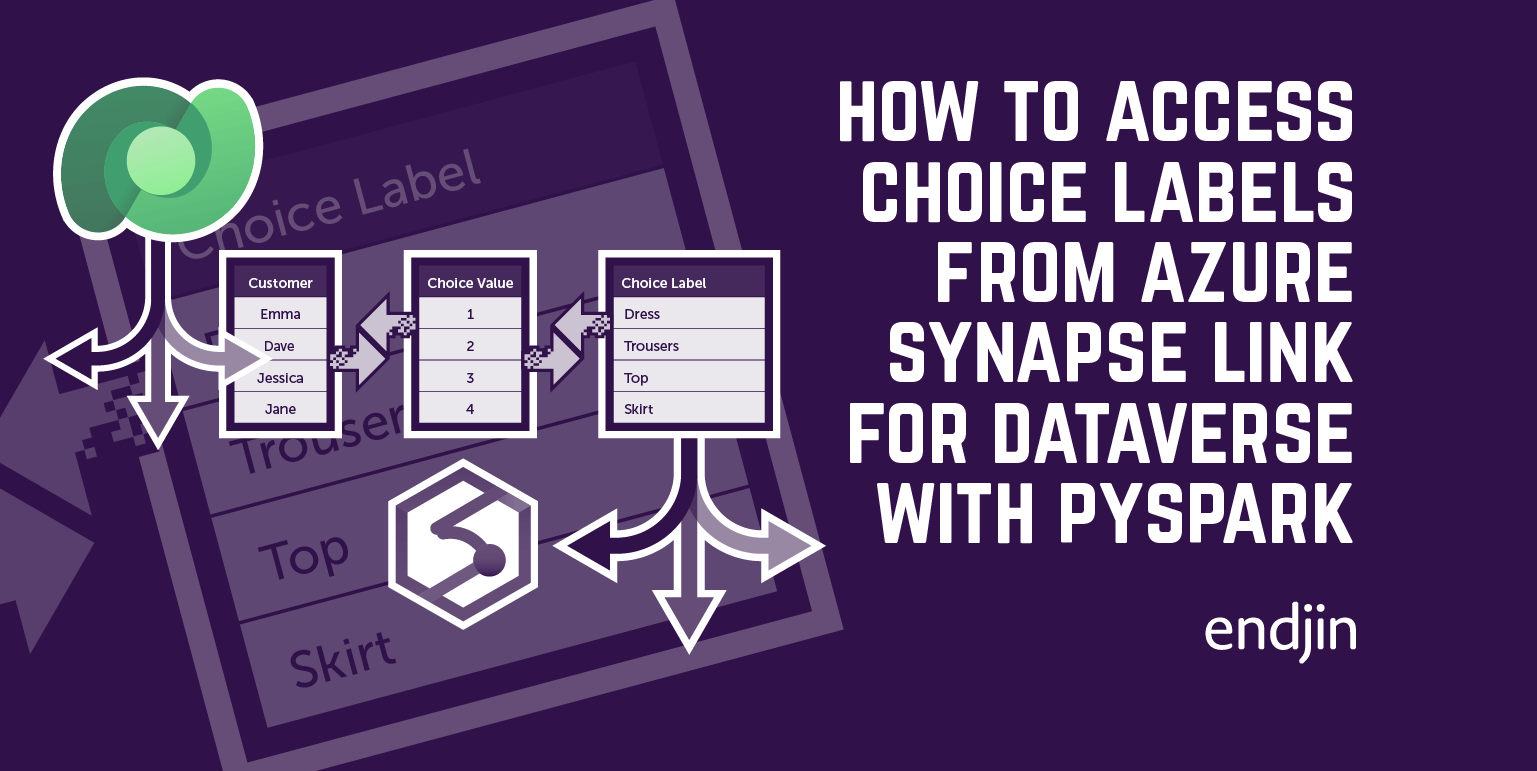
This blog post will dive straight into the details. For contextual background on choice labels in Dataverse, and how they are stored when exporting data from Dataverse using Azure Synapse Link, please refer back to first blog post in this series: How to access choice labels from Azure Synapse Link for Dataverse using PySpark.
Replacing the choice values with the choice labels using T-SQL through SQL Severless
We can query and extract choice labels using T-SQL through SQL Serverless. You can replace the numerical choice values in your linked Dataverse table with the text choice labels using the following T-SQL query within a SQL script in Synapse:
SELECT
    [<'insert column 1 name here'>] AS [<'assign alias here'>],
    [<'insert column 2 name here'>] AS [<'assign alias here'>],
    /* List all of the columns you would like to return from your linked table */
    [LocalizedLabel] AS [<'assign alias here'>]
FROM [<'insert database name here'>].[dbo].[<'insert table name here'>] tn

LEFT JOIN [<'insert database name here'>].[dbo].[OptionsetMetadata] om
    ON tn.[<'insert choice column name here'>] = om.[Option]
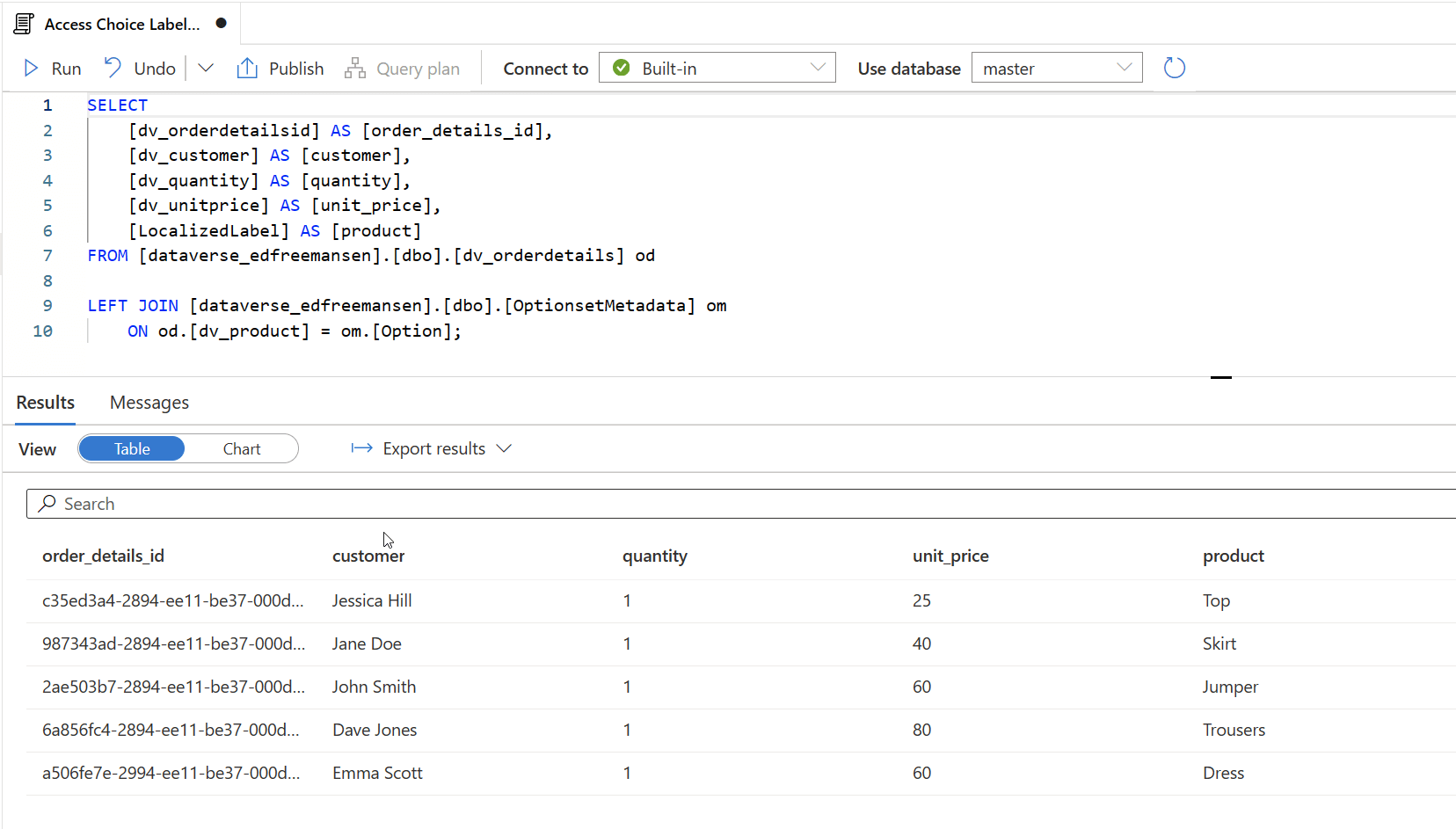
Here is an example implementation of the above T-SQL query. This is how we would query a linked Dataverse table called dv_orderdetails, replacing the numerical choice values in the dv_product column with the text choice labels stored in the LocalizedLabel column of the OptionsetMetadata table:
SELECT
    [dv_orderdetailsid] AS [order_details_id],
    [dv_customer] AS [customer],
    [dv_quantity] AS [quantity],
    [dv_unitprice] AS [unit_price],
    [LocalizedLabel] AS [product]
FROM [dataverse_edfreemansen].[dbo].[dv_orderdetails] od

LEFT JOIN [dataverse_edfreemansen].[dbo].[OptionsetMetadata] om
    ON od.[dv_product] = om.[Option];
And here is result of the query:
Replacing the choice values with the choice labels using Spark SQL in a Synapse Notebook
We can also query and extract choice labels using Spark SQL in a Synapse Notebook. You can replace the numerical choice values in your linked Dataverse table with the text choice labels using the following Spark SQL query within a Synapse Notebook:
SELECT
    <'insert column 1 name here'> AS <'assign alias here'>,
    <'insert column 2 name here'> AS <'assign alias here'>,
    /* List all of the columns you would like to return from your linked table */
    LocalizedLabel AS <'assign alias here'>
FROM <'insert database name here'>.<'insert table name here'> tn

LEFT JOIN <'insert database name here'>.OptionsetMetadata om
    ON tn.<'insert choice column name here'> = om.Option

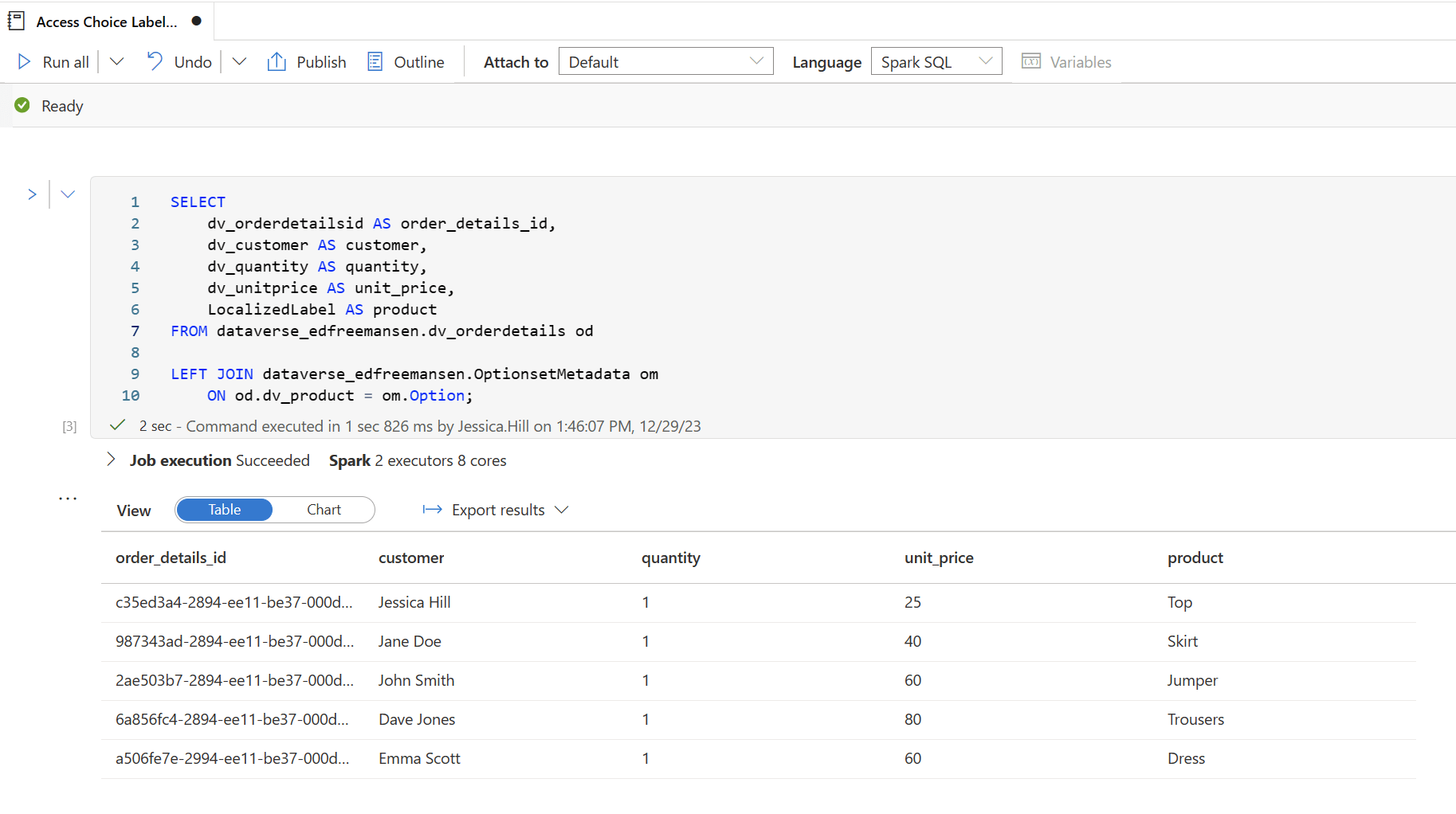
Here is an example implementation of the above Spark SQL query. This is how we would query a linked Dataverse table called dv_orderdetails, replacing the numerical choice values in the dv_product column with the text choice labels stored in the LocalizedLabel column of the OptionsetMetadata table:
SELECT
    dv_orderdetailsid AS order_details_id,
    dv_customer AS customer,
    dv_quantity AS quantity,
    dv_unitprice AS unit_price,
    LocalizedLabel AS product
FROM dataverse_edfreemansen.dv_orderdetails od

LEFT JOIN dataverse_edfreemansen.OptionsetMetadata om
    ON od.dv_product = om.Option;
And here is result of the query:
Conclusion
This blog post has explored how to access the choice labels from Azure Synapse Link for Dataverse using T-SQL through SQL Serverless and by using Spark SQL in a Synapse Notebook. The next blog post in this series will demonstrate accessing multi-select choice column labels from Azure Synapse Link for Dataverse.