Keyboard shortcut to collapse all projects in Solution Explorer


Just so that I never ever forget this again. Here's how to assign a keyboard shortcut to collapse all projects in Visual Studio Solution Explorer.
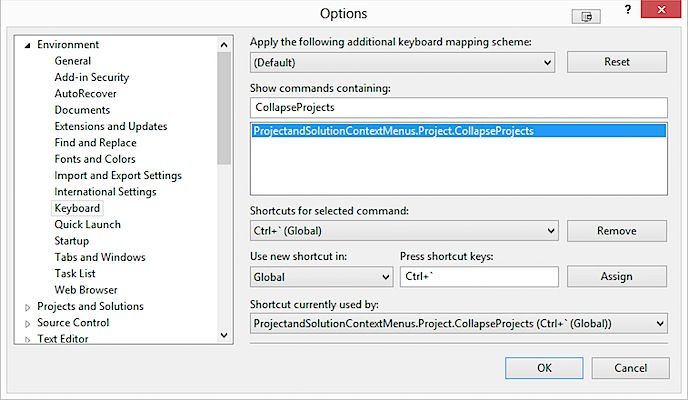
In Visual Studio, go to Tools > Options > Keyboard. In the Show commands containing text box, type in CollapseProjects. Select the ProjectandSolutionContextMenus.Projects.CollapseProjects and assign it your shortcut as show below.

