Trying Out WSL Containers: Microsoft's Built-In Alternative to Docker Desktop


TL;DR
WSL Containers (wslc) is Microsoft's new built-in container runtime for Windows. Basic workflows and dev containers work well, but repos inside the WSL filesystem, Docker Compose, and .NET Aspire aren't supported yet - so our recommendation is: promising, but don't switch from Docker Desktop just yet.
Microsoft recently extended the Windows Subsystem for Linux with WSL Containers - a built-in way to create, run, and manage Linux containers on Windows. The significance? You could potentially do away with installing Docker Desktop and the Docker engine altogether, in a similar vein to alternatives like Podman.
Containers are central to how we work at endjin - dev containers for consistent development environments, emulators for local testing, multi-container stacks for running services - so a first-party, no-extra-install container runtime on Windows is an interesting prospect. In this post, I'll share my findings from trying it out, including where it works well and where it falls short today.
Getting started with wslc
WSL Containers is currently in public preview (general availability is planned for later in 2026). To get it, update to the pre-release version of WSL:
wsl --update --pre-release

You should then have the wslc CLI tool available. If you take a look at the help output, it will feel very familiar:
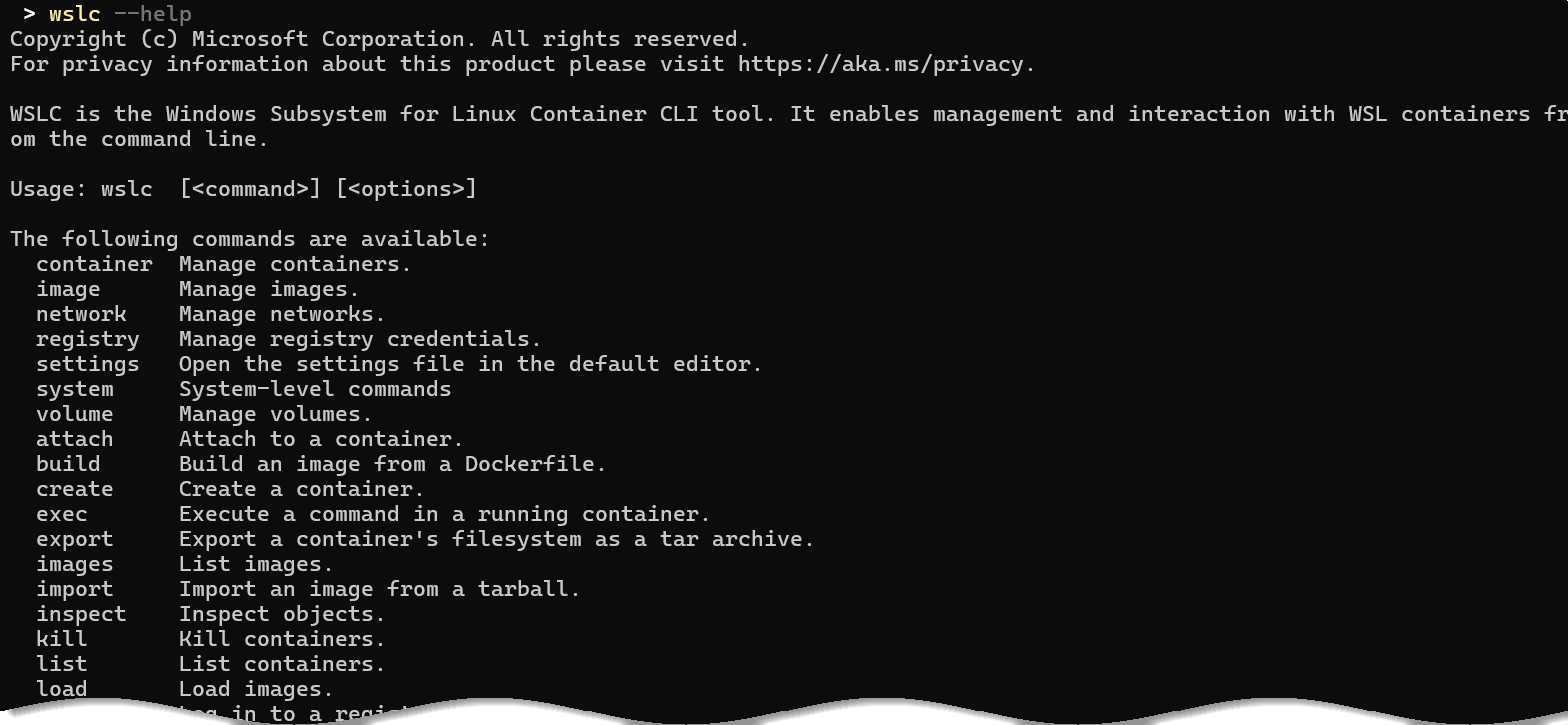
The CLI is made to be compatible with the Docker CLI API - you've got commands for managing containers and images, building and running, managing volumes, etc. If you know Docker, you already mostly know wslc.
(N.B. "Mostly" is doing some work in that sentence - I did find at least one incompatibility, which I'll come to later.)
Running a container
Let's run a simple container, pointing at an Ubuntu image and running a bash command:
wslc run -it ubuntu bash

If you open Task Manager whilst a container is running, you can see a background virtual machine process appear, in much the same way as Docker Desktop's VM.
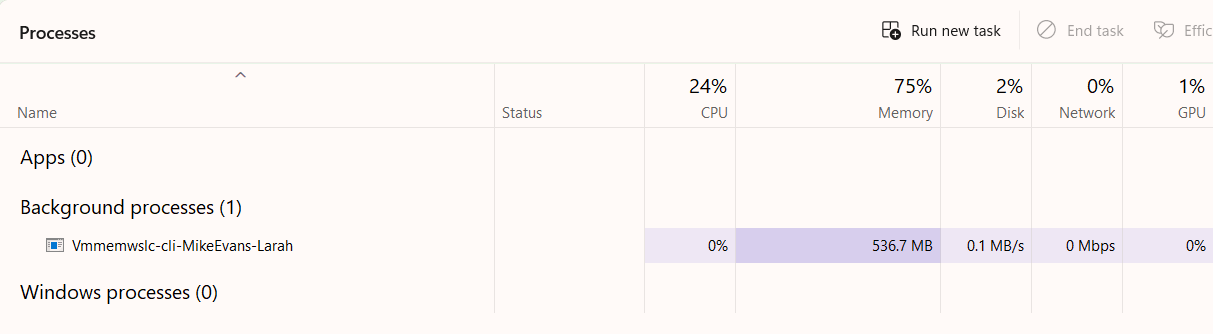
A single VM is used for containers managed via the CLI tool, whose memory expands and contracts as needed. Microsoft has clearly done some work to optimise this: memory is gradually released back to the Windows host when it's not in use.
The usual commands for inspecting state work as you'd expect:
wslc image list
wslc container list
So on the face of it, it all looks quite capable. The next question was: how might we actually use it?
Using wslc with dev containers
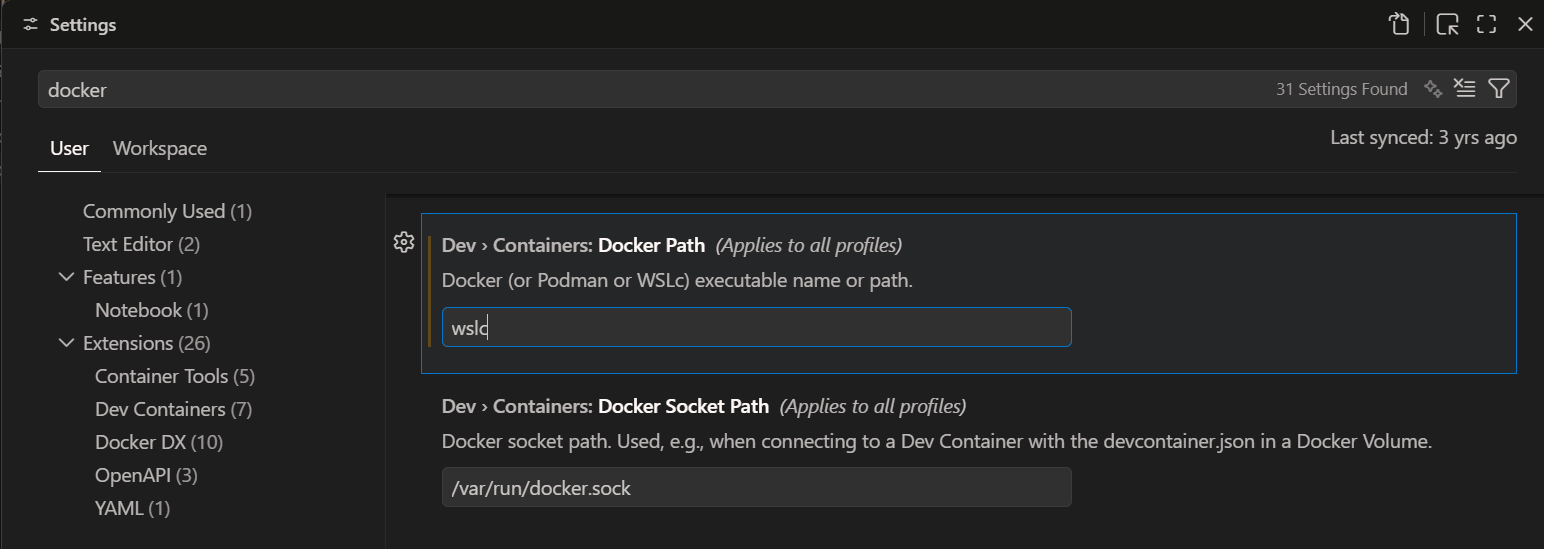
The place we use containers most is VS Code Dev Containers. The Dev Containers extension supports wslc as of the pre-release version (v0.462.0+), and switching over is straightforward: in your VS Code settings, search for "docker path" and change the Dev > Containers: Docker Path setting to wslc (users of Podman will be familiar with this trick).
Then open a repo with a dev container and hit "Reopen in Container" as normal. You can see in the logs that it's calling into the wslc CLI instead of Docker, and everything connects as it would with any other dev container - post-create commands run, dev container features get installed, and you're away.
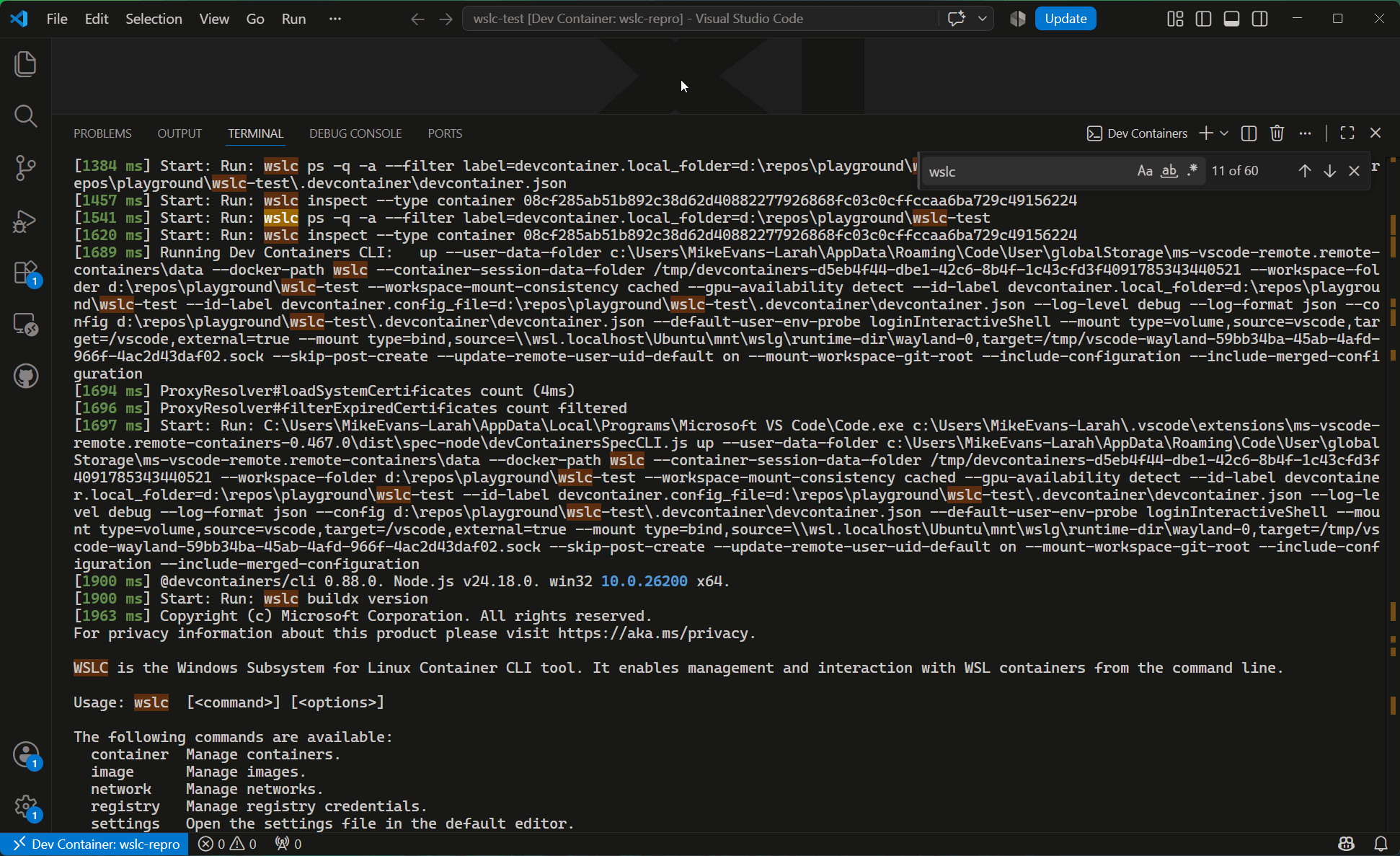
This all works well... if your repo lives on the Windows filesystem.
The catch: repos inside the WSL filesystem
Regular readers may remember that the way we've been running dev containers recently is to clone the repo inside the WSL filesystem, because it's dramatically faster for file-based operations than mounting across the Windows/Linux boundary.
WSL Containers does use a newer file sharing protocol - virtiofs - for mounting Windows paths into containers, and in my testing it is a little quicker than the old approach. But it's still much, much slower than having the repo natively inside the WSL filesystem.
So naturally, I experimented with cloning the repo into the WSL filesystem and running the dev container from there. This hit a whole bunch of issues. When I went to report them, I found that someone had raised the same problem the day before, so I added my findings there - and the response was that running wslc against the WSL filesystem simply isn't supported yet. There is an open ticket for running wslc from within a WSL distro, but at the time of writing there hasn't been any movement on it, which is a bit of a shame - for us, this is the single biggest blocker.
Other gaps
A few other issues came up in my testing (and in experiments by my colleague James Dawson, who has been trialling wslc more extensively):
- Docker CLI compatibility isn't 100%. The Dev Containers extension uses the dev container CLI under the covers, which in some circumstances passes a
--platformargument to build commands - and wslc doesn't support it. It's a small thing, but it shows there are edge cases where tooling that assumes the Docker CLI API will trip up. - .NET Aspire isn't supported. When an Aspire app model spins up containers - storage emulators, Cosmos DB emulators, and so on - it talks to Docker (or Podman). There are open tickets for wslc support in Aspire and in the underlying orchestrator, but not much movement recently.
- No Docker Compose. We sometimes use Docker Compose from within a dev container to spin up multi-container stacks, and there's no equivalent in wslc yet. Compose support looks to be one of the most requested features, so hopefully this one comes sooner rather than later.
- Docker-in-Docker scenarios don't work. James found that wslc can't bind mount WSL host paths, which blocks docker-in-docker style workflows. He also found rough edges around registry authentication -
az acr loginexpects to talk to Docker, so pushing images to Azure Container Registry requires manually extracting the token and logging in with it.
Why replace Docker Desktop at all?
You might reasonably ask: if Docker Desktop works, why bother? Well, Docker Desktop requires a paid subscription for commercial use in organisations above a certain size. Whilst endjin is small enough not to need licences, many of our clients aren't - and for them, "enable a built-in Windows feature" is a much easier conversation than "procure Docker Desktop licences for the whole engineering team". A first-party Microsoft product, managed through existing enterprise tooling, tends to be an easier sell to IT departments than third-party software too.
It's also worth noting that wslc isn't just a CLI - it ships with a programmable API that lets Windows applications spin up Linux containers as part of their own logic. It will be interesting to see what comes of that; one plausible driver is AI-based workflows, where applications need sandboxed environments for running agent-generated code.
Should you switch yet?
In short: not yet. WSL Containers shows real promise - the basics work well, the memory management looks like an improvement over Docker Desktop, and the licensing story could be compelling for enterprise clients. But for our workflows, the blockers are clear:
- No support for repos inside the WSL filesystem (the biggest one for us)
- No .NET Aspire support
- No Docker Compose
Our recommendation is to wait, at least until wslc can be used from within WSL itself. But given the pace at which Microsoft is iterating on WSL these days, I wouldn't bet against it catching up quickly - and when it does, it could be a genuinely useful simplification of the Windows container development story.